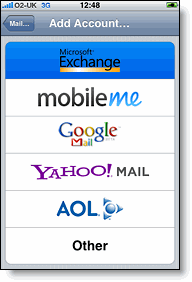
So the other day I posted on how you can sync all your calendars, contacts and emails between your iPhone. Today I will tell you how to get other MobileMe features including Find My iPhone, bookmark syncing, online storage and online photo albums. Now all this may seem like it would be easier to have all in one place but once you get to using it, it is very simple.
Find My iPhone
This feature allows you to find your phone anywhere in the world via GPS. It displays your information on an online map, allowing you to find it if it has been stolen. Another thing it allows you to do is send a message to your phone and make it ring, even if it is on silent mode.
There are numerous apps that let you do this. One I found is called FoneHome. It allows you to find your phone online and send messages to it in the exact same way MobileMe does. Although it does not let you send that sound, for $2.50, it is much cheaper than over $100. This is also the only part of my MobileMe guide you have to pay for. I recommend you keep it running in the multitasking background otherwise its a bit pointless
Bookmark Syncing
Now there are a couple of ways to do this. The first one is to do it when you sync. This, however, is not always the most convenient. The easiest one would be to use an app called Firefox Home. It allows users to not only view Firefox bookmarks but also see the tabs you have open. The feature in Firefox also allows users to sync their bookmarks and tabs between computers.
Online Storage
One major part of MobileMe is its easy online storage. Now, although this is done well. I have found somewhere that does it much much better, and for free. It is called Dropbox and off the bat gives you 2GB of online storage but very easily, can get you up to 8GB. Now this is all for free and I just love it. It puts a folder on your desktop for easy drag and drop access for PCs, Macs, AND iPhone :) Click here for an account. I highly recommend it: )
Online Photo Albums
This is a little bit of a strange feature but I thought I would cover it anyway. There are millions of ways to do this for free. Whether you use Photobucket, Flickr, image shack or even Facebook, they all would great. If you want something more in-dept with more features, Picassa by Google is great. It has an iPhone specific web app that is great.
So thats about it. MobileMe is useless.
AndrewCow